Enjoy Photos/Audio/Video Stored on a USB Device
Press  /
/ button on your remote control and select .
Select the content you want to play on the screen, like pictures, videos and music.
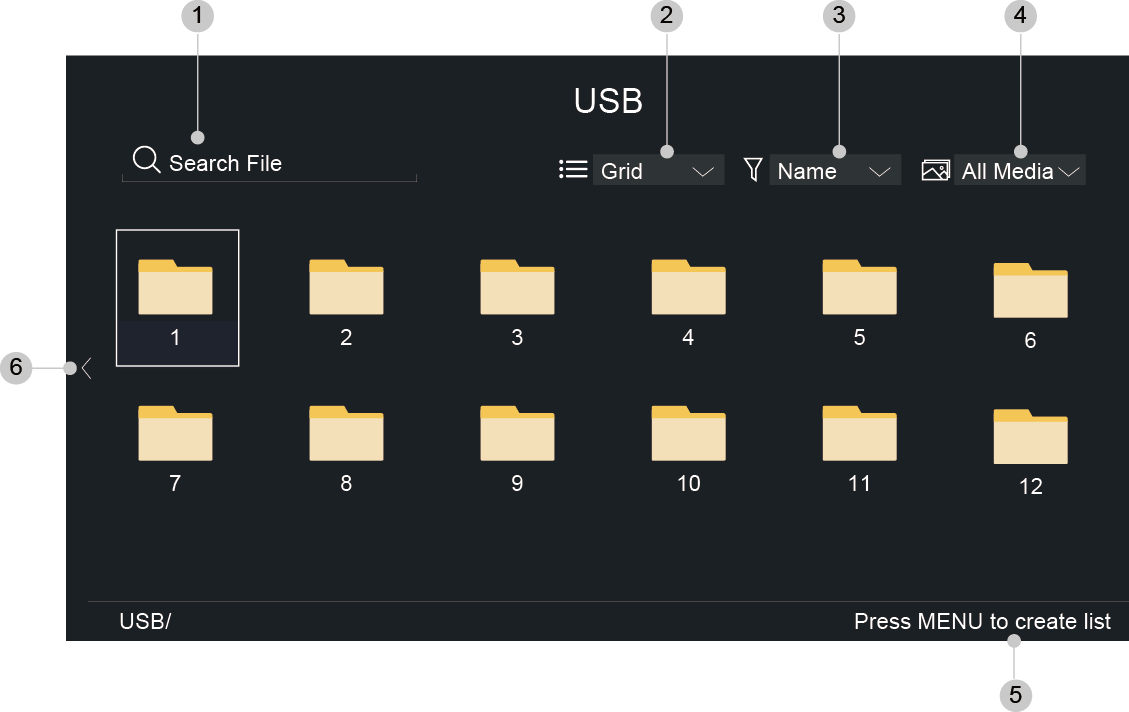
Search the content you want to play.
Arrange the content list by , .
Sort the content list by , , .
Filter the content list by , , , , .
Create a photo, music, or video playlist.
When the focus is on the first line, there will be an arrow on the left side. Select the arrow to enter multiple storage sources.
Note:
- Some options in the above table may not be available in some models/countries/regions.
- You must obtain any required permission from copyright owners to download or use copyrighted content. We cannot and don't grant such permission.