Connect to a Wired (Ethernet) Network
To get access to the Internet using a wired connection, it is recommended to use a modem or router that supports Dynamic Host Configuration Protocol (DHCP). Modems and routers that support DHCP automatically provide the IP address, netmask, gateway, DNS Server 1 and DNS Server 2, so you do not have to enter them manually. Most home networks already have DHCP.
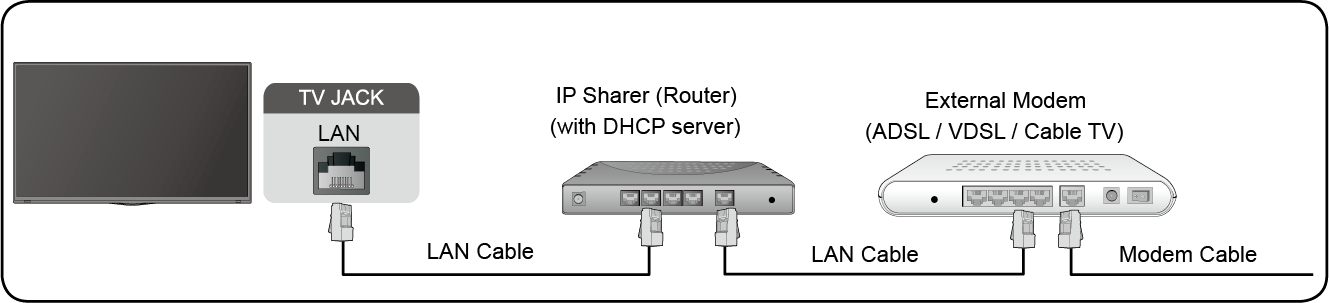
After connecting to a wired (Ethernet) network, press  /
/ button on your remote control, and select
  Settings > Network > Network Configuration.
Set the TV network by selecting and press  button to enter the submenu.
Choose a wired (Ethernet) network connection to access the Internet.
Display network status.
Configure the IP setting for your network connection.