Edit Favourite Channel List
Before you can edit the favourite list, Channel Scan must be completed first.
Add a channel to a favourite list
You can add channels from various reception types to the favourite list.
In Live TV, press
 /
/ button to display the channel list.
Press
 /
/ button and select the channel(s) you want to add to the favourite list.
Select and choose from .
Then, a heart-shape icon will appear next to the added channel.
Move or remove channels in a favourite list
In Live TV, press / button on your remote control and press  , select , then use D-pad to select .
Alternatively, in Live TV, press / button on your remote control and select , then select .
You can add, move, or remove favourite channels.
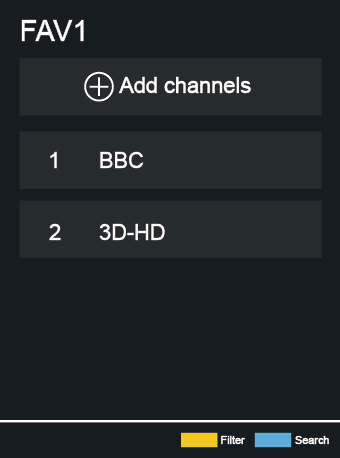
Select
 Add channels to add the selected channel to the favourite list.
Select a channel in a favourite list, and press
 button to move it.
Select a channel in a favourite list, and press
button to remove it.