Connect to a Wired (Ethernet) Network
To get access to the Internet using a wired connection, it is recommended to use a modem or router that supports Dynamic Host Configuration Protocol (DHCP). Modems and routers that support DHCP automatically provide the IP address, subnet mask, gateway, and DNS, so you do not have to enter them manually. Most home networks already have DHCP.
See the illustration below.
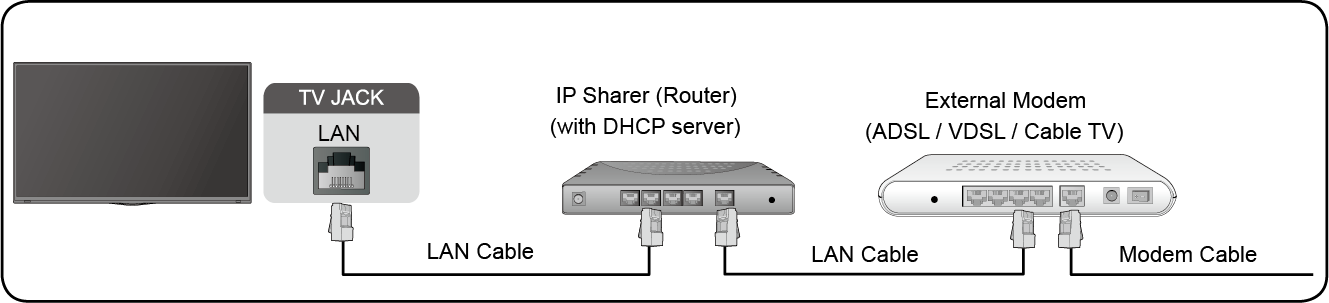
After connecting to a wired (Ethernet) network:
Press  button on your remote control to select
Go to ETHERNET section, and set the TV network by pressing  button to enter the submenu.
Show whether the Ethernet is connected.
You can set the proxy server.
Configure the IP setting for your network connection.